Pocket Digicam

For Android & iPhone · by FightTech VN

A pocket camera from 2003, in your phone.

Pick a camera, look at the little LCD, press the shutter. Pocket Digicam does the rest: the old file size, the JPEG crunch, the colour, the flash and an orange LED date in the corner. No filter strip and nothing to tweak.

On the App Store in the US and Korea for now.
No ads · No watermark · No account · Your photos stay on your phone

See it on your phone

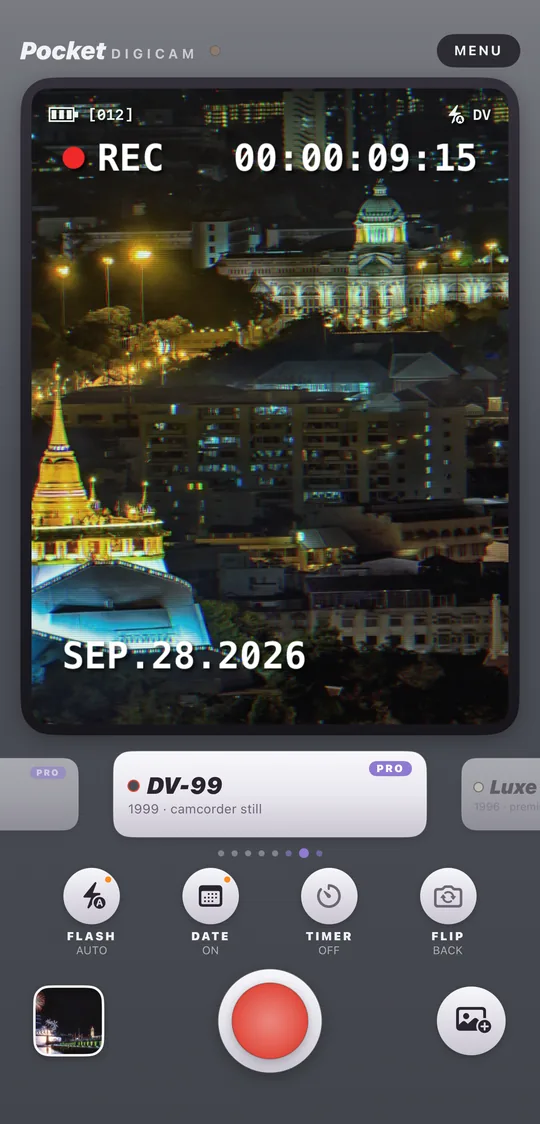
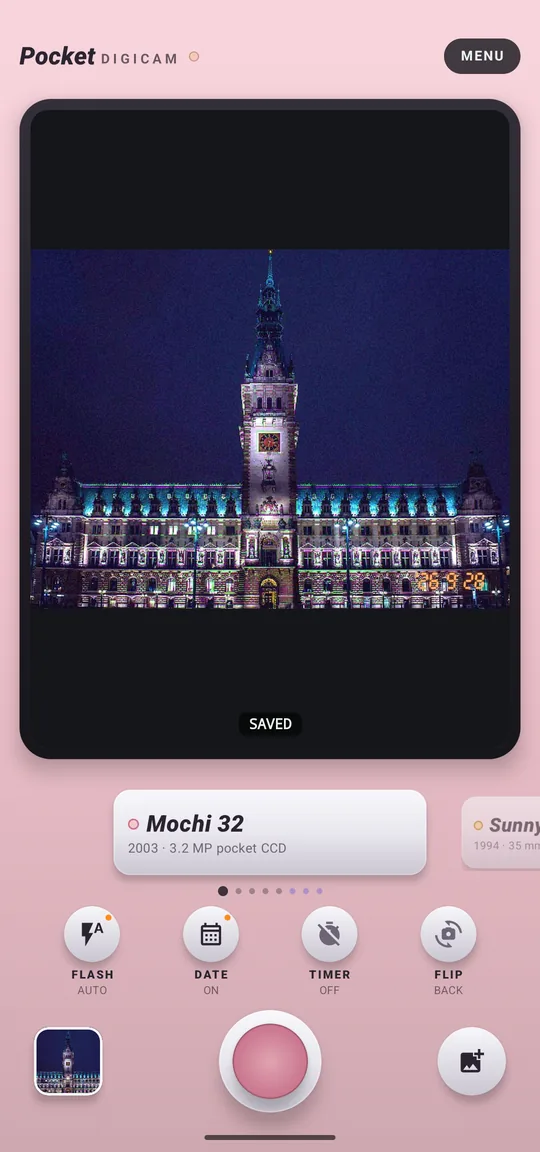
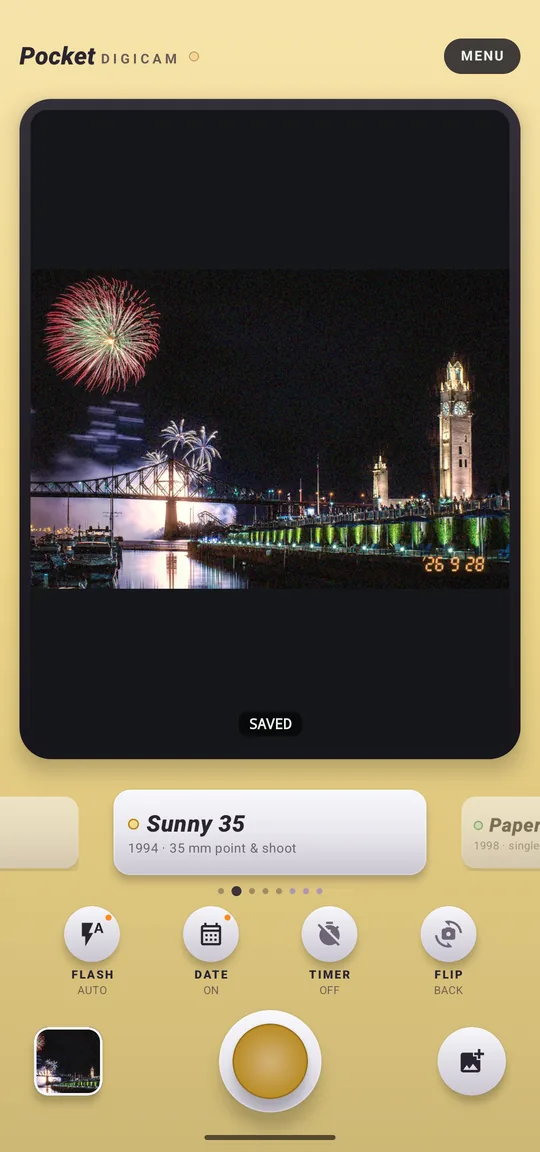
Real screens from the app on iPhone and Android. Swipe the dial, press the shutter, and the picture lands on the LCD with the camera's colour and date stamp.
Pocket Digicam on iPhone: the Mochi 32 camera with Hamburg City Hall at night developed on its LCD
Mochi 32Hamburg City Hall at nightPhoto: Wassererkinding / Wikimedia Commons, CC0
Pocket Digicam on iPhone: the Sunny 35 camera with Clock Tower and fireworks, Montreal developed on its LCD
Sunny 35Clock Tower and fireworks, MontrealPhoto: Michael Vesia / Wikimedia Commons, CC BY-SA 3.0
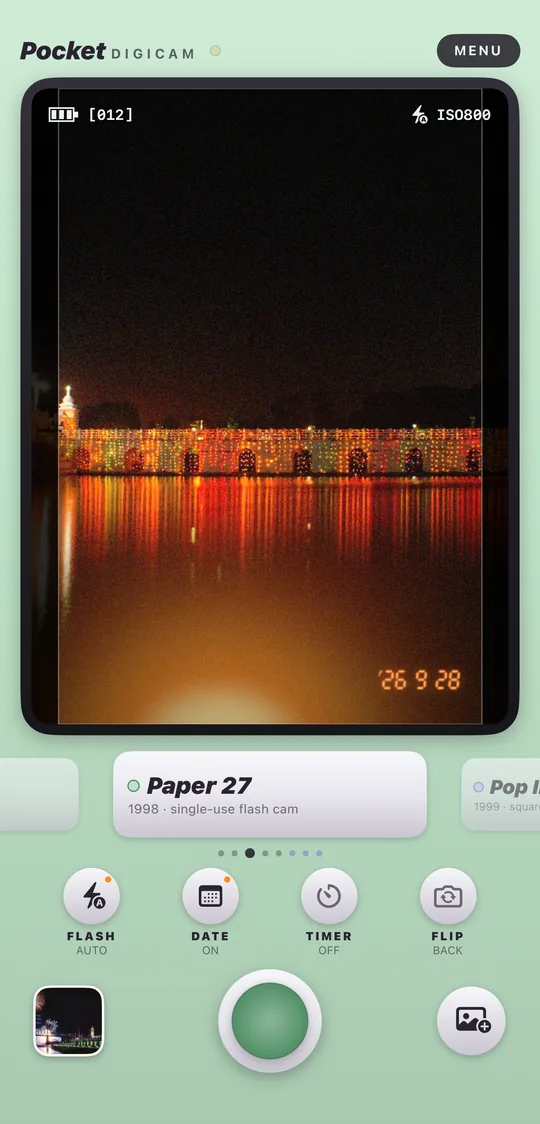
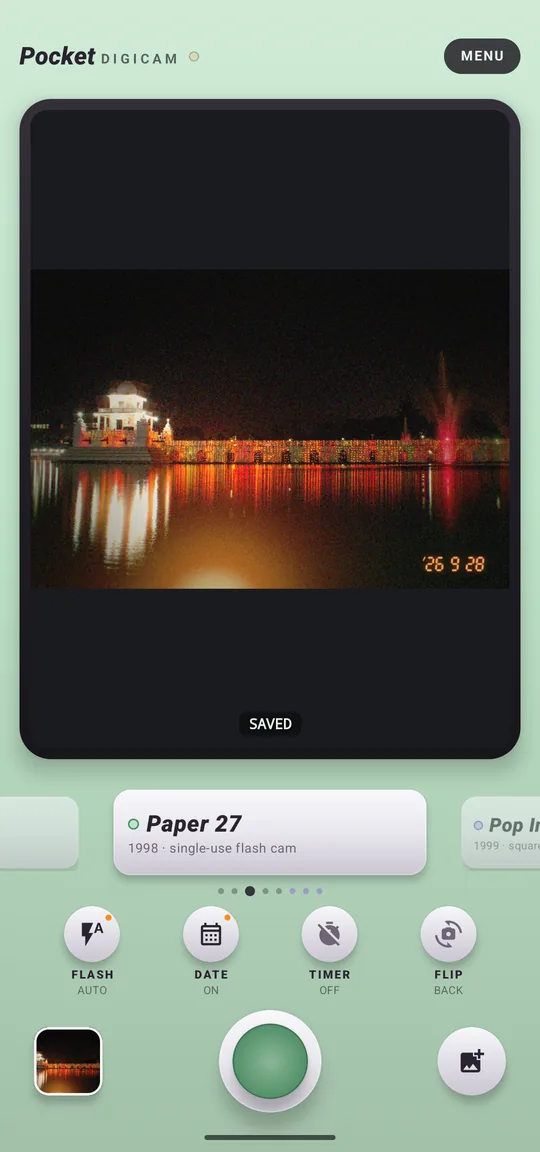
Pocket Digicam on iPhone: the Paper 27 camera with Rani Pokhari during the Chhath festival, Kathmandu developed on its LCD
Paper 27Rani Pokhari during the Chhath festival, KathmanduPhoto: Enfeeyano / Wikimedia Commons, CC BY-SA 4.0
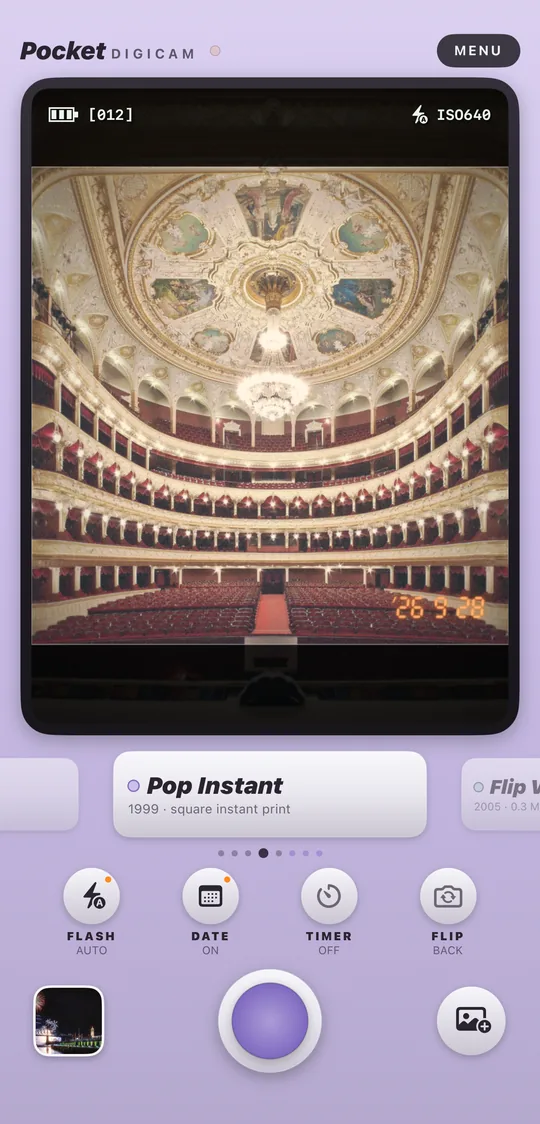
Pocket Digicam on iPhone: the Pop Instant camera with The hall of the Odesa Opera and Ballet Theatre developed on its LCD
Pop InstantThe hall of the Odesa Opera and Ballet TheatrePhoto: Alex Levitsky & Dmitry Shamatazhi / Wikimedia Commons, CC BY-SA 3.0
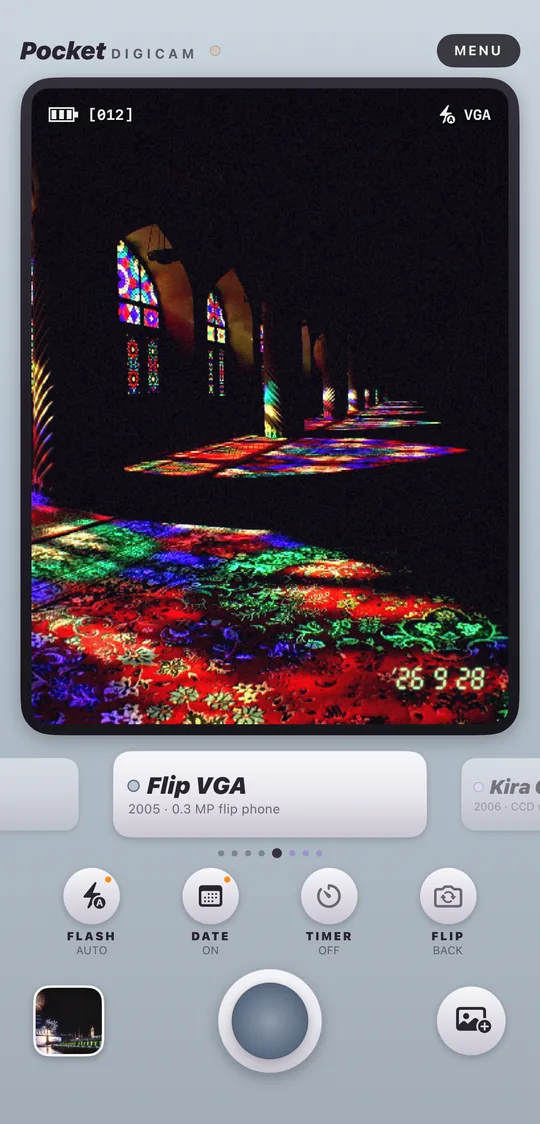
Pocket Digicam on iPhone: the Flip VGA camera with Nasir al-Mulk Mosque, Shiraz developed on its LCD
Flip VGANasir al-Mulk Mosque, ShirazPhoto: Ayyoubsabawiki / Wikimedia Commons, CC BY-SA 4.0
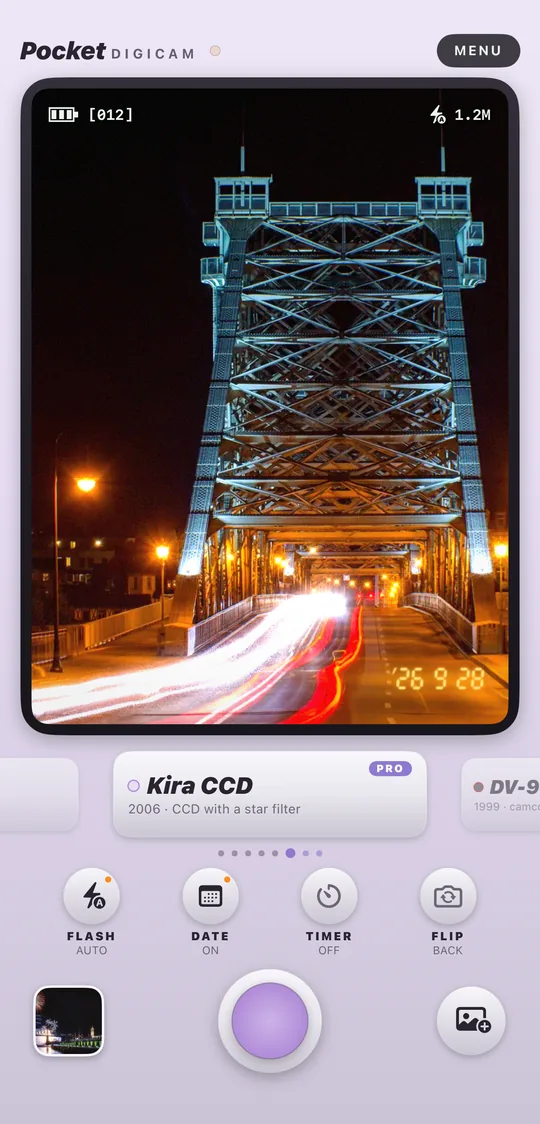
Pocket Digicam on iPhone: the Kira CCD camera with The Blue Wonder bridge at night, Dresden developed on its LCD
Kira CCD PROThe Blue Wonder bridge at night, DresdenPhoto: Tilman2007 / Wikimedia Commons, CC BY-SA 3.0
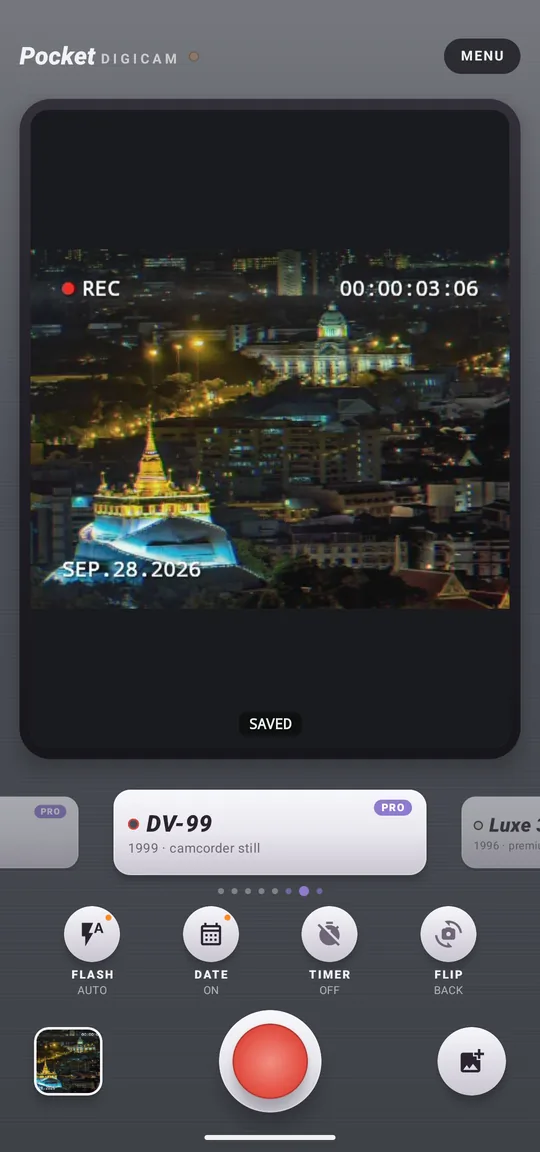
Pocket Digicam on iPhone: the DV-99 camera with Wat Saket at night, Bangkok developed on its LCD
DV-99 PROWat Saket at night, BangkokPhoto: Preecha.MJ / Wikimedia Commons, CC BY-SA 4.0
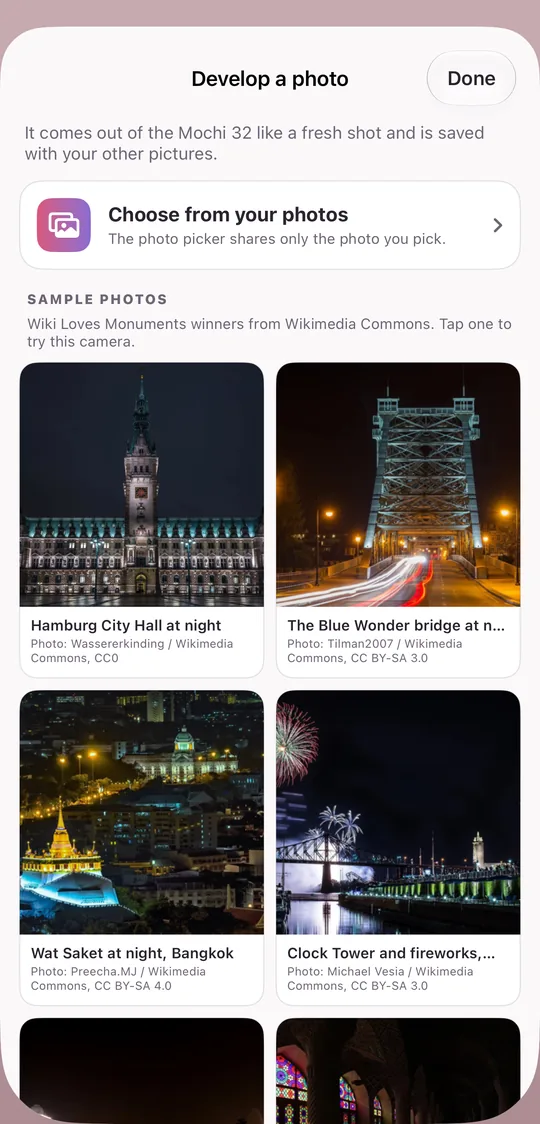
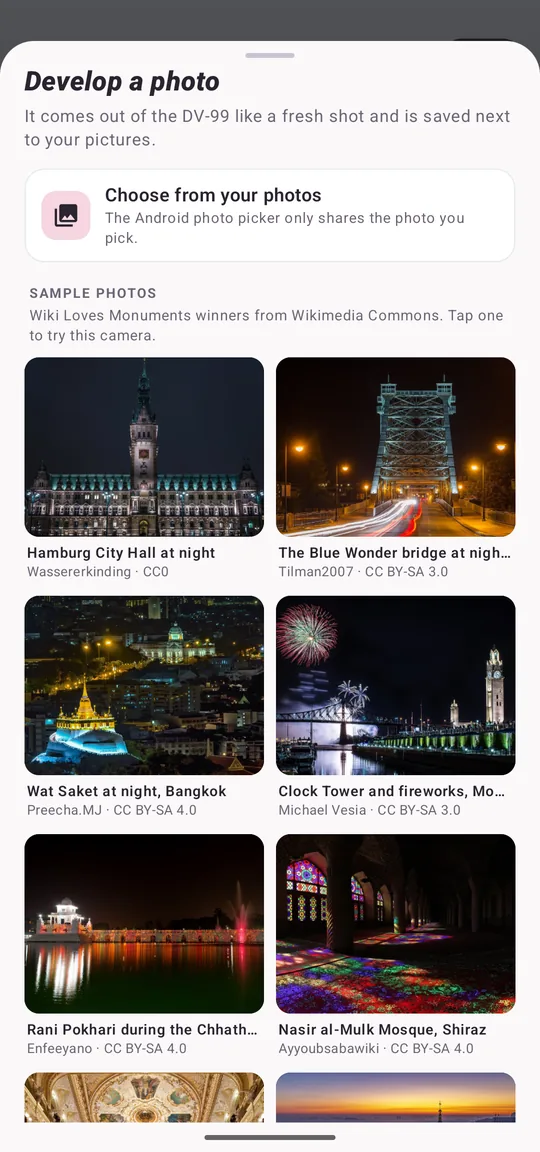
Pocket Digicam on iPhone: the Develop a photo sheet with the eight sample photos
Import & samplesDevelop a photo from your library, or one of the eight sample photosEach sample shows its author and licence in the app
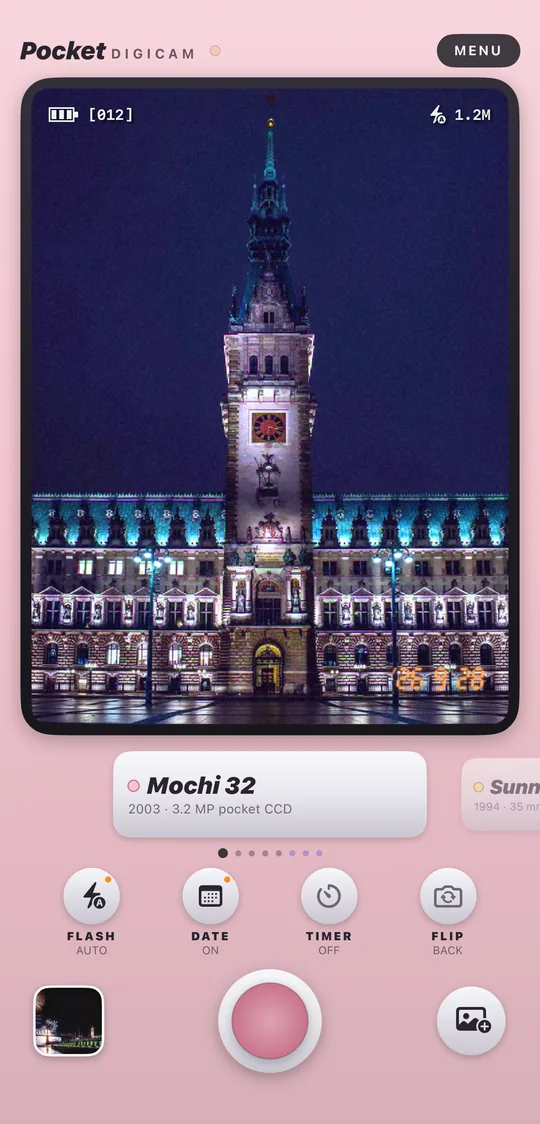
Pocket Digicam on Android: the Mochi 32 camera with Hamburg City Hall at night developed on its LCD
Mochi 32Hamburg City Hall at nightPhoto: Wassererkinding / Wikimedia Commons, CC0
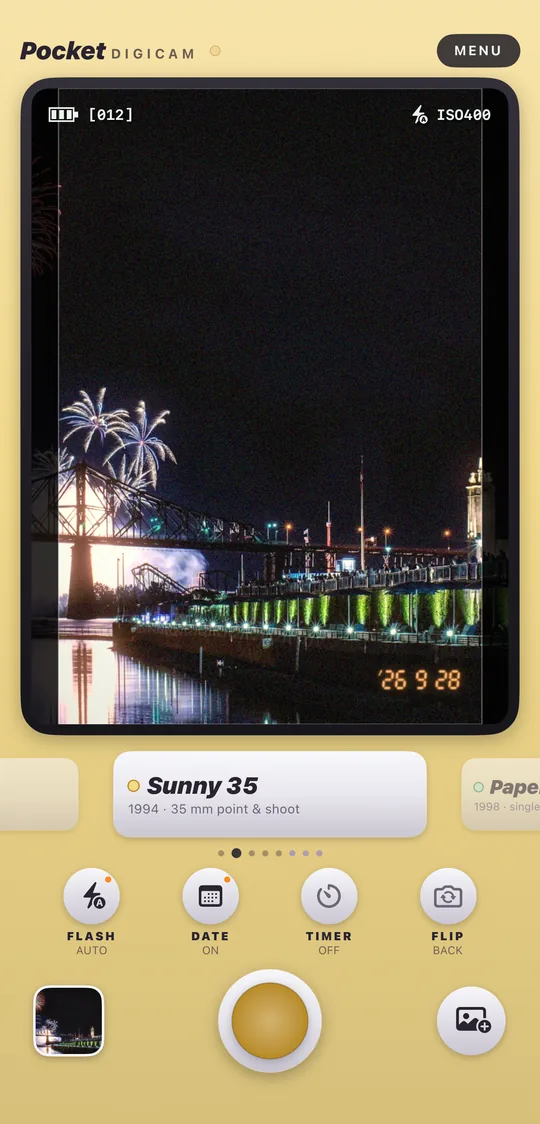
Pocket Digicam on Android: the Sunny 35 camera with Clock Tower and fireworks, Montreal developed on its LCD
Sunny 35Clock Tower and fireworks, MontrealPhoto: Michael Vesia / Wikimedia Commons, CC BY-SA 3.0
Pocket Digicam on Android: the Paper 27 camera with Rani Pokhari during the Chhath festival, Kathmandu developed on its LCD
Paper 27Rani Pokhari during the Chhath festival, KathmanduPhoto: Enfeeyano / Wikimedia Commons, CC BY-SA 4.0
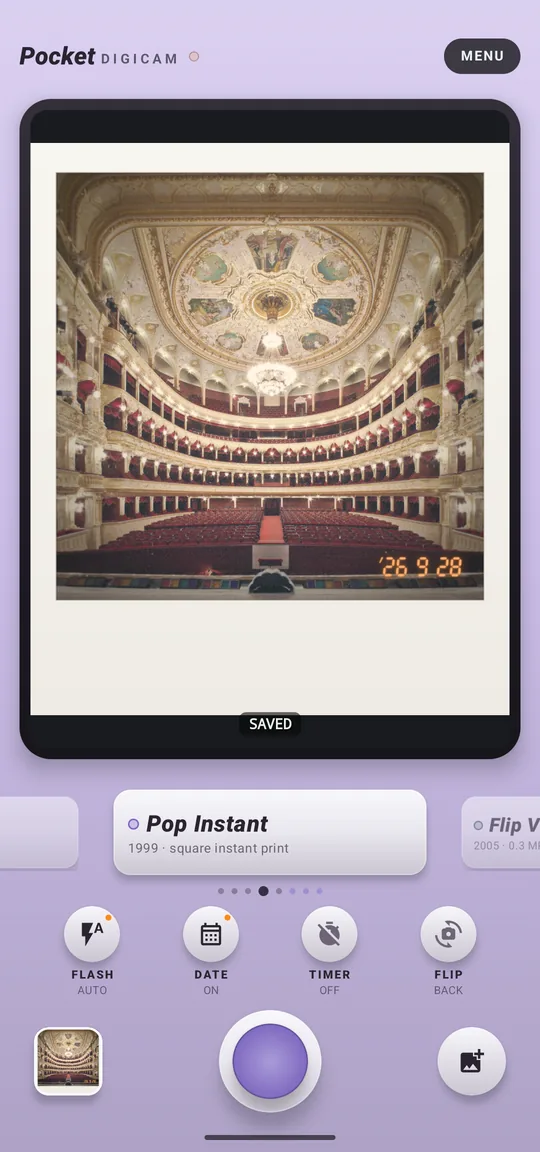
Pocket Digicam on Android: the Pop Instant camera with The hall of the Odesa Opera and Ballet Theatre developed on its LCD
Pop InstantThe hall of the Odesa Opera and Ballet TheatrePhoto: Alex Levitsky & Dmitry Shamatazhi / Wikimedia Commons, CC BY-SA 3.0
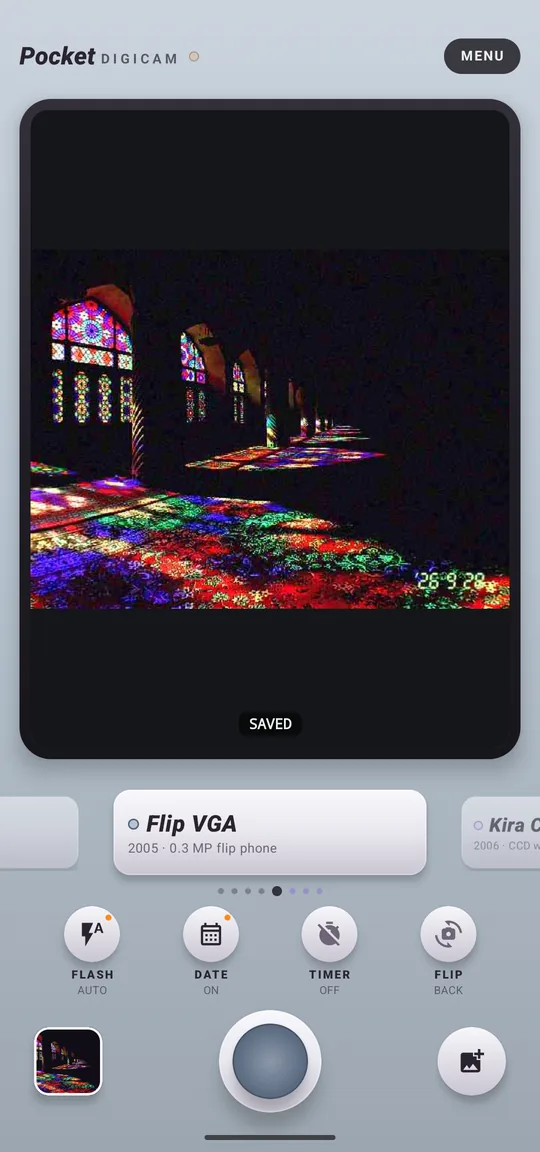
Pocket Digicam on Android: the Flip VGA camera with Nasir al-Mulk Mosque, Shiraz developed on its LCD
Flip VGANasir al-Mulk Mosque, ShirazPhoto: Ayyoubsabawiki / Wikimedia Commons, CC BY-SA 4.0
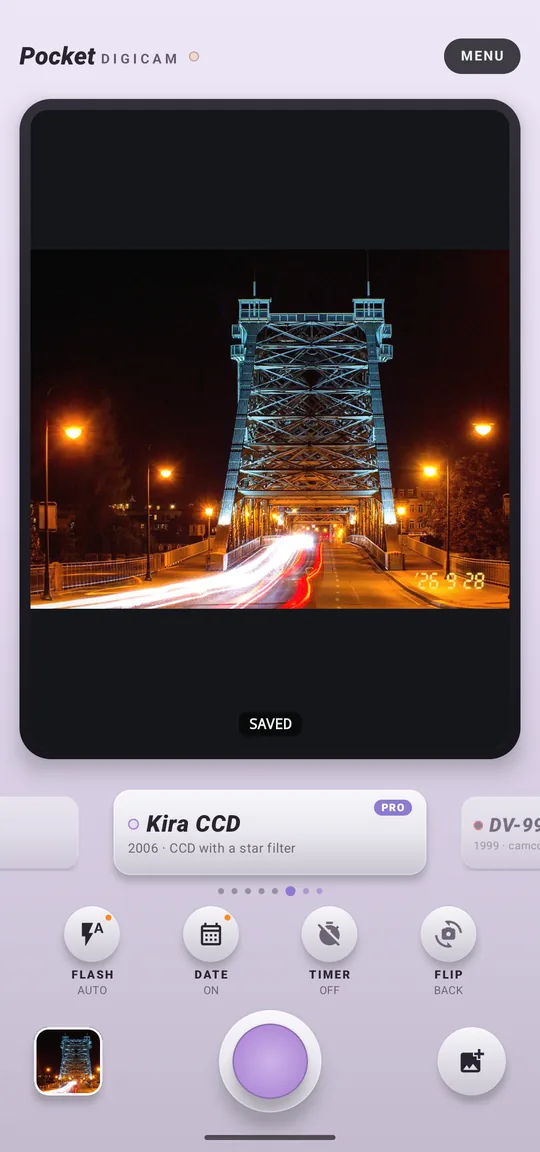
Pocket Digicam on Android: the Kira CCD camera with The Blue Wonder bridge at night, Dresden developed on its LCD
Kira CCD PROThe Blue Wonder bridge at night, DresdenPhoto: Tilman2007 / Wikimedia Commons, CC BY-SA 3.0
Pocket Digicam on Android: the DV-99 camera with Wat Saket at night, Bangkok developed on its LCD
DV-99 PROWat Saket at night, BangkokPhoto: Preecha.MJ / Wikimedia Commons, CC BY-SA 4.0
Pocket Digicam on Android: the Develop a photo sheet with the eight sample photos
Import & samplesDevelop a photo from your library, or one of the eight sample photosEach sample shows its author and licence in the app

Every picture here is a Wiki Loves Monuments winner from Wikimedia Commons, developed in the app through the camera named above it. Credits and licences are under each screen.

Eight cameras to carry

Each one is an invented model with its own look, body colour and nameplate. Swipe the dial on the camera back to change cameras; the LCD shows the look live before you shoot.

Mochi 32

Pocket CCD

2003 · 3.2 MP · 4:3

Cool, crunchy colour, hard highlights and an orange date.

Sunny 35

35 mm point & shoot

1994 · 3:2

Warm tones, soft shadows, grain and a gentle flash.

Paper 27

Single-use flash cam

1998 · 3:2

Bright centre, dark soft corners, green in the greys and a light leak.

Pop Instant

Square instant print

1999 · 1:1

Soft, milky colour on a thick white border.

Flip VGA

Flip-phone camera

2005 · 0.3 MP · 4:3

Blown highlights, colour noise and chunky pixels.

PROKira CCD

CCD with a star filter

2006 · 4:3

Candy colour and a sparkle on every light.

PRODV-99

Camcorder still

1999 · 4:3

Soft lines, smeared colour and the REC display burned in.

PROLuxe 35

Premium 35 mm compact

1996 · 3:2

Crisp, deep blacks, fine grain and a red date.

Point, shoot, done

The buttons on the back are the ones the old cameras had, and nothing more.

Flash

Off, auto or on. The back camera fires the torch and adds the on-camera flash look; the front camera lights the screen white for a selfie flash.

Date

A seven-segment LED date stamp, in year-month-day, month-day-year or day-month-year order. Tap DATE to leave it off.

Timer & flip

A 3 or 10 second self-timer with beeps, and the front or back camera.

Import & playback

Develop an older photo through any camera with the system photo picker, or try one of the eight built-in sample photos, all Wiki Loves Monuments winners. Then flip through, share or open your shots from the thumbnail.

Photo booth

Flip the switch on top of the camera from PHOTO to BOOTH, and one press of the shutter becomes a booth session. New in the Android app.

Four frames

Each frame waits for a 3 second countdown with beeps, time for a new pose. The front camera is ready by default and FLIP still works. Press the shutter again to stop.

One print

The frames go through the camera on the dial and are printed together with the LED date and "POCKET DIGICAM" along the bottom, then saved as a single picture.

Strip or grid

The classic 1×4 strip on white paper is free. With Pro, print a 2×2 grid, or pick black, pink or lilac paper.

Free, with an optional Pro

Everything you need to shoot is free, with no time limit and unlimited shots. Pro is an in-app purchase through Google Play or the App Store; the app shows the store's price in your currency.

Free

No purchase needed

  • Mochi 32, Sunny 35, Paper 27, Pop Instant and Flip VGA
  • Today's date stamp in three formats
  • Flash, self-timer, front and back camera
  • The photo booth strip on white paper
  • Photo import, eight sample photos and playback
  • No ads and no watermark

Pocket Digicam Pro

Yearly or monthly subscription, or a one-time purchase

  • Kira CCD, DV-99 and Luxe 35
  • A custom date: stamp any day or year you like
  • HD files: the full-size picture from any camera
  • Photo booth: the 2×2 grid and black, pink or lilac paper
  • Pro cameras added in later updates

Try a Pro camera or booth paper in the live preview first; the upgrade appears when you press the shutter. Subscriptions renew until you cancel in Google Play or in your Apple ID subscriptions.

Your photos stay on your phone

Every picture is developed on the device. On Android it is saved to Pictures/Pocket Digicam; on iPhone it stays in the app's roll until you tap Save. Read the privacy policy for Android or iPhone for the details.

No upload

Photos are never sent anywhere. Import only sees the photo you pick.

No account

No sign-in, no profile, no email list.

No ads

No ad SDK and no advertising ID.

Your choice

On Android, anonymous usage counts and crash reports can be switched off in Settings. The iPhone app collects no data at all.